Tag Archives: canvas

How to Plan a Successful Coffee Shop launch: Business Model Canvas Guide

Video

Video Description

Ready to launch your dream café? Dive into our latest video for a comprehensive guide on building a strong foundation with the Business Model Canvas specifically tailored for coffee shops.

Want to launch a new venture in 21 Days FREE DOWNLOAD – Launch in 21-Days Checklist: http://tinyurl.com/Launch-in-21-Days

Uncover essential insights into revenue streams, cost structures, and customer segments that set you up for success.

Ready to LAUNCH a new coffee shop in 2024? Check out my online course, Launch in 21 Days with the EntreProfessor: https://the-entre-professor.thinkific.com/courses/21-Days-to-Launch

Our step-by-step analysis ensures you understand your potential profitability and how to iterate your café concept to perfection. Whether it's a pop-up or a permanent spot, you'll learn to secure a loyal customer base and refine your offerings before scaling up. Don't miss these key strategies—watch now to transform your coffee passion into a thriving business.

#CoffeeShopBusiness #BusinessModelCanvas #StartupStrategy #Entrepreneurship #CafeSuccess

0:00 – Introduction
0:29 – Building a BMC for a Coffee Shop
1:25 – Customer Segment u0026 Value Proposition
2:24 – Customer Relationship u0026 Channels
4:39 – Money Model (Revenue Streams)
4:22 – Key Activities, Key Resources, and Key Partners
6:12 – Cost Structure
10:15 – Iterative growth
12:54 – Keep Going

Canva’s 7 New Features for January 2026 | What’s Hot in Canva Ep. 48🔥

Video

Video Description

🚀 Join the RonDi CoLab: a membership to build a real, sustainable content business
👉 https://www.teamrondi.com/the-rondi-colab

New year, new Canva features. In this episode, I’m walking you through what’s new in Canva as of January 2026, including Image to Video (and the limits you’ll hit fast), Starred Fonts (finally), a better Offline Mode, Upload Folders, faster ways to download a single page, downloads straight from the homepage, and new locking options that let you lock position without fully freezing your element.

If you spot a new feature I missed, drop it in the comments and I’ll test it for the next episode.
And if you want to build your business alongside us with guidance and community, check out the RonDi CoLab above this description!

🕒 *VIDEO CHAPTERS*
00:00 New year, new Canva features (January 2026)
00:13 Image to Video in Magic Studio, what works and what does not
06:10 Starred Fonts, save your go to fonts inside Canva
09:32 Offline Mode upgrade, what you can actually edit offline
16:47 Upload Folders, bring in a full folder at once
18:33 Download Page shortcut from the page thumbnails
19:38 Download from the homepage without opening the design
20:34 New Lock options, lock position only and more

Thanks for watching!
You guys are awesome 🙂

Legal Disclaimer – This video contains affiliate links. If you purchase through these links, we may earn a small commission (at no extra cost to you).

This video is not sponsored.

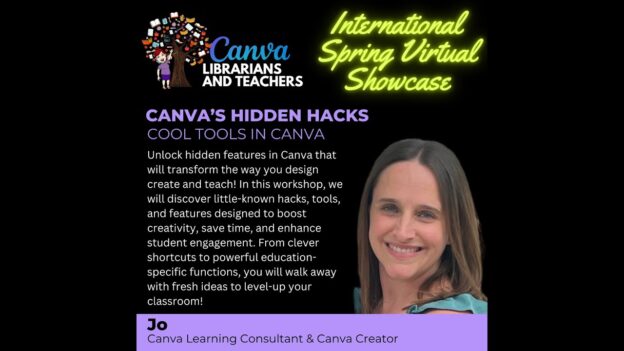
Jo – Canva’s Hidden Hacks: Cool Tools in Canva (Canva Librarians and Teachers)

Video

Video Description

Think you know Canva? Think again! Discover mind-blowing features, clever design hacks, and creative tools you never knew existed – all in one power-packed session that will seriously level up your Canva game!
Visit our website at https://librarian.rocks/canvalibrariansandteachersshowcases to customize your Certificate of Participation, write for our blog, and join our community!

Edit Thumbnail Photos Faster with Canva’s New Photo Tool

Video

Video Description

Canva’s new standalone photo editor makes thumbnail editing faster and more focused. In this walkthrough, I’ll show you how to clean up, resize, enhance, and prep your images—before you even open a thumbnail design. It’s a better way to start your next YouTube thumbnail. Try Canva Pro for 30 days absolutely free at no cost to you by clicking here ➡️ https://partner.canva.com/doJ2yQ (affiliate)

Join The Creator Lab Membership today to access special perks:
https://www.youtube.com/channel/UCd2W3k6gHOMk0ljkPBw0S1w/join

⚡ Request a Feature in Canva: https://www.canva.com/help/get-in-touch/contact-support

Thoughtfully showcase your heartfelt support for the invaluable knowledge gained here by actively engaging through Super Thanks, Super Stickers, or Super Chat. Your kind contributions make a meaningful impact. Another meaningful way to demonstrate your thoughtful support is by sharing what you've learned from today's video or asking any questions you may have. You could learn from anyone and you choose to learn from me. That means more than I could ever express.

Some of the links are affiliate or referral links and I may earn a small commission or credit to my account if you make a qualifying purchase. The 30 Day Free Canva Pro Trial is available to you if you've never tried out Canva Pro before. This is affiliate link which means if you decide to keep Canva Pro after the free trial, I will receive a small commission.

#thecreatorclassroom #learncanva4yt #canvassador

00:00  Start Here: Canva’s New Photo Editor for Thumbnails
01:33  Crop u0026 Resize for YouTube Thumbnails
03:39  Adjust Specific Parts of a Photo with New Tools
05:33  Magic Studio Tools: What Works and What Doesn’t
08:44  Quick Filters to Style Your Thumbnails
09:19  Why I Prefer the Standalone Photo Editor
09:49  Exploring FX: Shadows, Blur, and More for YouTube

From Instinct to Strategy: Transform Your Company with the Business Model Canvas

Video

Video Description

🔗 LINKS

Download your free Business Model Canvas: https://www.strategyzer.com/library/the-business-model-canvas

Visit the episode page at https://carpentercpas.com/canvas for more details and a transcript of the show.

Take the FREE Construction Company Health Evaluation: https://profitfirstconstruction.com/free-resource-evaluate-your-accounting-system/

ℹ ABOUT THIS EPISODE

Struggling to make your construction business consistently profitable? In this episode, Wade and Stephen introduce the Business Model Canvas, a strategic tool that can redefine how you manage and grow your construction company.

Discover how to identify your ideal customers, clarify your unique value proposition, streamline value delivery, and uncover growth opportunities. Learn the nine key segments of this powerful model and how to apply them to your contracting business for sustained success.

Subscribe to get notified as soon as new episodes go live: https://www.youtube.com/@CarpenterCPAs?sub_confirmation=1

⌚️ In this episode:
01:31 The Power of the Business Model Canvas
05:15 Customer Segments: Identifying Your Ideal Client
08:08 Value Proposition: What Makes You Unique?
11:17 Channels: Reaching Your Clients
12:24 Customer Relationships: Building and Maintaining Connections
13:51 Revenue Streams: How Your Business Makes Money
15:37 Key Resources: Critical Assets for Success
17:24 Key Activities: Essential Business Processes
18:41 Key Partnerships: Working With Others
20:43 Cost Structure: Where Does the Money Go?

The Ultimate Laser Engraving Guide for Beginners! Canvas and MDF! (Step-by-Step)

Video

Video Description

Discover laser engraving on a painted canvas in this step by step tutorial that shows no secrets about the laser engraving process, covering the true how-to steps, starting with the canvases, the acrylic paint, the software (LightBurn and Xtool Creative Space) my coveted settings, and essential laser tips. I'm also sharing the editing of the images I am using, some useful engraving hacks, and everything else I have learned to help you create custom artwork, explore painting and engraving, hopefully help you produce canvas art and more. Join the maker community, and unlock endless creative projects with the best engraver for beginners.

Ready to start learning about Laser Engraving on Canvases, MDF and Slates? Let's dive in!

What's in this video:

00:00 What to Expect
01:34 The Materials
04:37 The Paints
06:38 What Colors
07:01 Color Layering
07:34 How to Paint
10:13 Paint needs to dry
11:23 The Software
13:09 Material Testing
14:39 How I test
16:07 In Closing

Subscribe :: https://www.youtube.com/@severnabuilds?sub_confirmation=1
Facebook :: https://www.facebook.com/mysevernabuilds
Instagram :: https://www.instagram.com/severnabuilds/