Video
Video Description
🤗 SUBSCRIBE FOR NEW VIDEOS EVERY WEEK: https://natalia.link/SUBSCRIBE ⬅️
⏩ Get CANVA PRO for FREE for 30 DAYS 🤯 https://natalia.link/canva ⏪
👇 WATCH THESE NEXT
NEW Canva Features You HAVE TO know about! (Canva Create 2025) – https://youtu.be/vSi-6sRoCEE
Bulk Create 100 Social Media Posts in UNDER 10 Minutes – https://youtu.be/7Sr7jx1r28I
📋 MENTIONED IN THE VIDEO:
🎥 I record my tutorials with Screen Studio 👉 https://natalia.link/screenstudio
FREE CANVA TEMPLATES FOR THE NEW GRID:
Post Template: https://natalia.link/instagram-post-template
Reel Template: https://natalia.link/instagram-reel-template
Sizing Cheatsheet: https://natalia.link/instagram-size-cheatsheet
🤗 SUBSCRIBE FOR NEW VIDEOS EVERY WEEK: https://natalia.link/SUBSCRIBE ⬅️
⏳ TIMESTAMPS:
00:00 – Intro
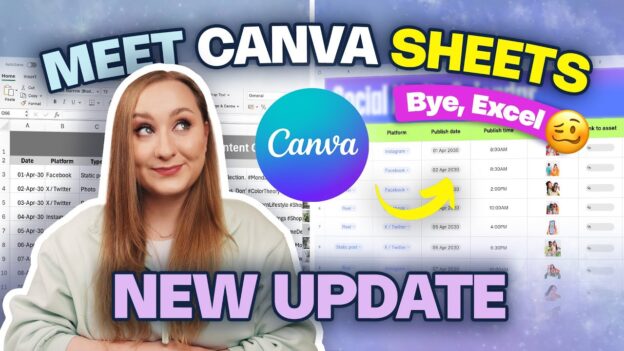
00:42 – Canva Sheets explained
01:47 – Finding Canva Sheets
02:29 – How to Use Canva Sheets (tutorial basics)
06:25 – Adding Mentions
07:02 – Adding Dropdown Menus
09:15 – Adding Links u0026 Designs
10:11 – Inserting images into cells
11:15 – Auto-generating tables
12:42 – How to Add Formulas in Canva Sheets
13:12 – Magic Formulas (AI-powered)
15:19 – Magic Insights (Analyze Data)
16:41 – Magic Charts (Visualize Data)
20:14 – Creating Content at Scale with Canva Sheets
21:00 – Magic Write (Auto-generate Copy)
21:57 – Magic Translate (1-click Translations)
23:09 – Bulk Create with Canva Sheets
25:20 – Real-world business use cases
LET’S GET SOCIAL:
💻 My website u0026 blog: https://www.nataliakalinska.com
📸 Instagram: https://www.instagram.com/nataliakalinska
📌 Pinterest: https://www.pinterest.co.uk/kalinskanatalia
⏰ TikTok: www.tiktok.com/@kalinskanatalia
🤗 SUBSCRIBE FOR NEW VIDEOS EVERY WEEK: https://natalia.link/SUBSCRIBE ⬅️
WHO I AM: I'm Natalia, a Canva Verified Expert and content marketing strategist from Poland, living in Edinburgh, Scotland. I create videos on content creation, marketing u0026 productivity and often share useful tutorials on apps like Canva or Asana.
GET IN TOUCH: I’d love to hear from you if you feel like chatting! DM me on Instagram – that’s the quickest way to get a response from me. If you want to go more in-depth and have a bigger question, feel free to email me at hello@nataliakalinska.com. Can’t wait to connect with you! 🥰
PS: Some of the links in this description are affiliate links – if used, I will get a small commission at no cost to you. It's just one more way to support me and my channel and I only recommend things I use myself or fully believe in!
Thank you!
#CanvaSheets #CanvaTutorial2025 #CanvaUpdates2025