See how Keynote becomes an AI-powered slide-building system for creating polished, editorial-level decks with clear structure, brand consistency, and smart design flow. Perfect for founders, marketers, and creators scaling presentations faster.
____________________
Disclaimer:
The content shared in this video is for educational and informational purposes only, based on personal experience, research, and opinion. It is not intended as legal, financial, business, or professional advice. I am not a licensed attorney, CPA, or financial advisor. Always do your own due diligence before making decisions related to business, income, or investments.
Any tools, platforms, or services mentioned may include affiliate links and may change over time. Please confirm availability, pricing, or features directly with the provider. Use official APIs and follow each platform’s Terms of Service. Obtain consent before messaging or recording, and comply with applicable laws (e.g., GDPR, CAN-SPAM, TCPA, and local rules).
Results and outcomes discussed are not guaranteed and may vary depending on individual effort, context, and external factors. We make no guarantees regarding your specific execution speed, ability to implement these strategies, or any financial results.
Today we're checking out AI presentation tools and AI design tools to create beautiful and info intensive presentations – with cool graphs, graphics and animations.
If you’re looking to fine-tune your Jotform Presentation Agent slides, you’ve come to the right tutorial. We’ll guide you through the process of editing your AI-generated presentations effortlessly. From altering the agent’s voice and avatar to adjusting slide layouts and scripts, this video covers it all. By the end of this tutorial, you’ll be equipped to enhance everything from pitch decks to internal training presentations, ensuring your presentation is flawless every time.
Video
Video Description
Need some adjustments to your Jotform Presentation Agent slides? This tutorial is perfect for you! Here’s what you’ll learn:
– How to access and modify your Presentation Agent
– Ways to change the agent’s voice, language, and avatar
– How to adjust navigation settings and autoplay features
– Tips for editing individual slides, scripts, and images
– Methods to add or remove slides and tailor layouts
Whether you’re refining a pitch deck or enhancing an internal training, this video will help you achieve the ideal presentation every time.
Explore Jotform Presentation Agents: https://link.jotform.com/NThAnUlFSk
Try Jotform AI Agents: https://link.jotform.com/YtcKGJr1K8
How to set up Your AI Agent’s Show Presentation tool: https://link.jotform.com/NuvBvb3PvY
CONNECT WITH US ON SOCIAL MEDIA
X (formerly Twitter): https://x.com/Jotform
LinkedIn: https://www.linkedin.com/company/jotform/
Facebook: https://www.facebook.com/jotform/
Instagram: https://www.instagram.com/jotform_official/
Medium: https://stories.jotform.com/
ABOUT JOTFORM
Hello! We’re Jotform, a comprehensive online forms platform that simplifies the creation of robust forms and the collection of important data. Discover more at: https://www.jotform.com
00:00 Introduction
00:10 Accessing Your Presentation Agent
00:26 Navigating to the Player Section
00:39 Changing the Agent’s Voice
01:01 Editing Navigation and Display Options
01:27 Editing Slide Layout and Content
01:56 Editing Script and Regenerating Image
02:29 Deleting or Adding Slides
02:49 Editing the Agent Avatar
03:12 Making Edits from the Publish Tab and Final Options
03:33 Subscribe to Jotform
Here are 5 Canva presentation tips to help make your slide deck POP!
Try Canva for free: http://www.patflynn.com/canva
0:00 Intro
0:11 Blur Transition
4:03 Lightbox Effect
7:09 Timeline
9:21 Match u0026 Move
11:39 Note on Presenter Mode
If you'd like to see a more in depth tutorial about Canva and setting up a presentation fast, check it out here: https://www.youtube.com/watch?v=hrgrFmV7aCM
Also, have you thought about starting your own podcast? Check out the #1 podcasting tutorial on YouTube here:
https://www.youtube.com/watch?v=Q8pfZna6H6Q
The podcasting equipment I use: http://www.kit.co/patflynn
My video and live streaming equipment: https://patflynn.com/live-streaming-equipment-setup/
Also, follow me at these places below and say hi!
Personal site: http://www.patflynn.com
Instagram: http://www.instagram.com/patflynn
Twitter: http://www.twitter.com/patflynn
If you'd like to send me any snail mail, send it here:
10531 4S Commons Dr.
Suite 524
San Diego, CA 92127
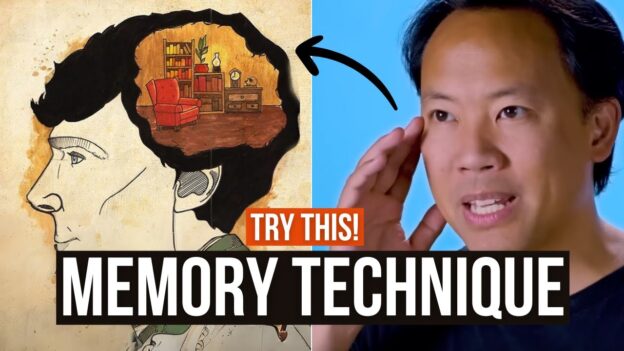
Do you need to give a presentation without notes? Memory expert Jim Kwik unveils the powerful Method of Loci for delivering note-free presentations.
Join Jim as he demonstrates the Memory Palace Method's application, providing you with the tools to captivate your audience, boost your confidence, and deliver memorable presentations effortlessly.
If you are a student, learn HOW to learn including drastically improving your ability to focus, memorize and read 300% better with out Kwik Student program: https://bit.ly/3X0EQFu Now with a special discount!
SUBSCRIBE for more Kwik Brain tips:
https://www.youtube.com/kwiklearning?sub_confirmation=1
Sharpen your mind and shape your future with our Kwik Brain newsletter: https://bit.ly/3YnWeFJ
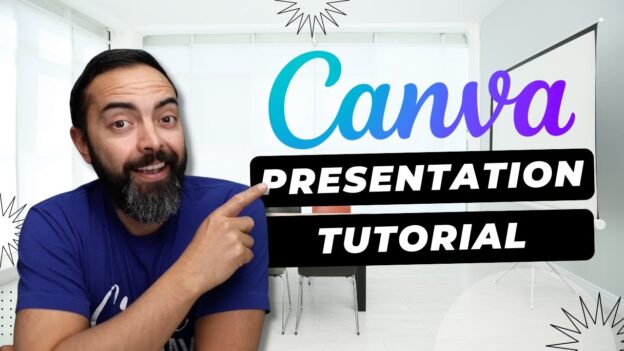
I've made the switch! Presentations on Canva are SUPER EASY and convenient to put together. In this Canva tutorial video, I'll show you how to put a great looking presentation together, fast.
Try Canva for free at http://www.patflynn.com/canva
Listen to my podcasts here:
🎤 The Smart Passive Income Podcast: https://www.smartpassiveincome.com/shows/spi/
🎤 AskPat (these are real life business coaching calls): https://www.smartpassiveincome.com/shows/askpat/
Also, have you thought about starting your own podcast? Check out the #1 podcasting tutorial on YouTube here:
https://www.youtube.com/watch?v=Q8pfZna6H6Q
The podcasting equipment I use: http://www.kit.co/patflynn
My video and live streaming equipment: https://patflynn.com/live-streaming-equipment-setup/
Also, follow me at these places below and say hi!
Personal site: http://www.patflynn.com
Instagram: http://www.instagram.com/patflynn
Twitter: http://www.twitter.com/patflynn
If you'd like to send me any snail mail, send it here:
10531 4S Commons Dr.
Suite 524
San Diego, CA 92127